Registration with the Health Professions Council of South Africa (HPCSA) is a pre-requisite for professional practice, along with a legal requirement to keep all personal details up to date at all times.
Practitioners can do their HPCSA registration online by following the steps below. The platform enables practitioners to access their statements, invoices, new Electronic QR code practising card, applications for voluntary erasure, exemptions and the update of contact details.
How to renew online
1. Open the HPCSA website at www.hpcsa.co.za – click on Online Renewals

2. Click on Log in or Sign up button

3. Type your ID or passport number, then click Forgot your username or password

4. Type in your e-mail address – click E-mail My Username

5. An email or SMS to reset your password will be sent to you with the subject ‘Support Account Password Assistance’ – click on Reset my password

6. Create your password and retype it in the next field to verify password – remember to adhere to the password requirements stated on the screen. Click Submit button.

7. Once logged on, click on your name and select Account Overview
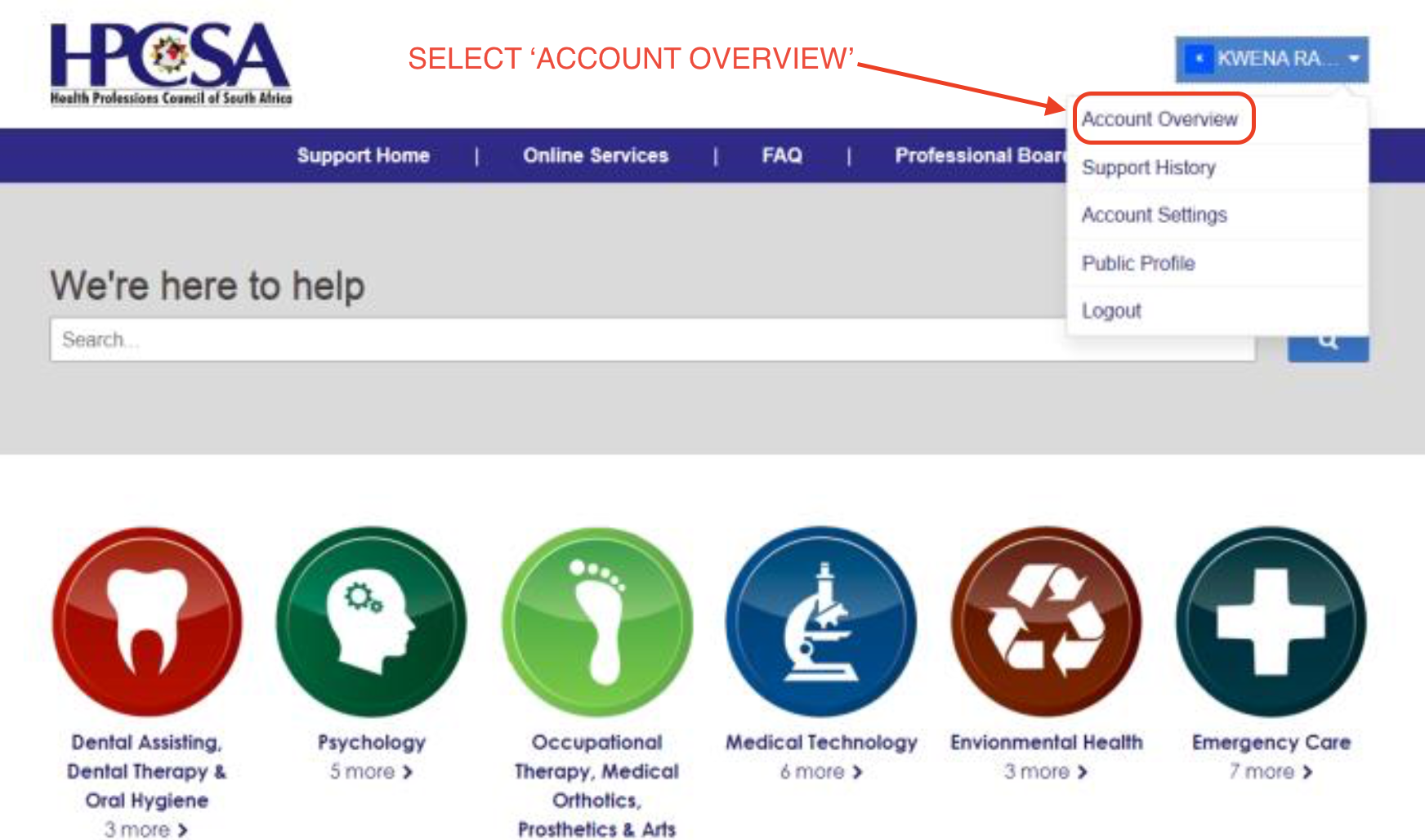
8. Select Account Statement

9. To check account status click on My invoices which will call up a new screen listing amount due

10. To pay click on Pay Now

11. Populate payment details and click Next to finalize the payment

12. To view your HPCSA Practicing Card, click Account Overview then My registrations then Card

Please note
Practitioners receiving an ‘insufficient CEU’s or CPD points’ in the ‘annual fee reminder’ page are advised to proceed to the next screen by clicking the’OK’ button. This workaround will take the practitioner to the ‘renew’ page.
Assistance
Practitioners can contact the HPCSA Client Care Centre for assistance with any aspect on their online registration at (+27) 12 338 9300/01 or info@hpcsa.co.za.