UTR stands for ‘Unique Taxpayer Reference‘ and it is a 10 digit number that HMRC issues to UK individuals who work for themselves or receive taxable income that they need to declare such as rental income or dividends. Your number is totally unique to you, just like your passport number or national insurance number.
A step-by-step guide to getting a UTR number in the UK, how you can apply for one and what it means once you have it.
Who Needs to Apply for a UTR Number?
You need to register for a UK UTR number so HMRC can identify who you are along with details about your income and tax returns, it’s a bit like a national insurance number that tells the government how much you have contributed and your entitlement to things like the state pension.
If you are in full-time employment you do not need to apply for a UTR number because your employer will be handling all your taxes on your behalf. However, if you receive other forms of untaxed income like from a side-hustle then you may need to register with HMRC to declare that additional income.
Students may also need a UTR number that’s because everyone who works is subject to the rules of paying tax regardless of age or whether they are in education or not. However, you only start paying national insurance once you are over the age of 16.
A UTR and CIS number are different so if you going to work in the construction industry you going to need to apply for a UTR number as well as registering for the construction industry scheme – once registered for both you will get your CIS card.
2. How to Get a UTR Number Online
The quickest way to get a UTR number is to complete the application form online on the HMRC website, but you can also apply by phone (see below). Before you start the HMRC registration make sure you have your national insurance number handy. You’ll then need to complete the following steps:https://1364dee139fc0b0dea1895866d2cd293.safeframe.googlesyndication.com/safeframe/1-0-38/html/container.html
- Visit the HMRC website and choose the option to “Register Online”;
- Set up your HMRC online account so you can manage your taxes online;
- Enrol for self-assessment online;
- Wait for your UTR number to be posted to you (can take up to 10 days)
- Wait for your activation code so you can complete setup of your HMRC online account.
2.1 Visit the HMRC Website
Head over to the HMRC website to get started with their registration service.
2.2 Create HMRC Online Account
Next, you’ll need to create an HMRC online account called “Government Gateway Account” which is where you can check on your taxes, get messages from HMRC and fill in your tax return online.
To get set up you’ll need to start by entering a valid email address, which you’ll need to confirm to complete your UTR application so make sure you have access to it.
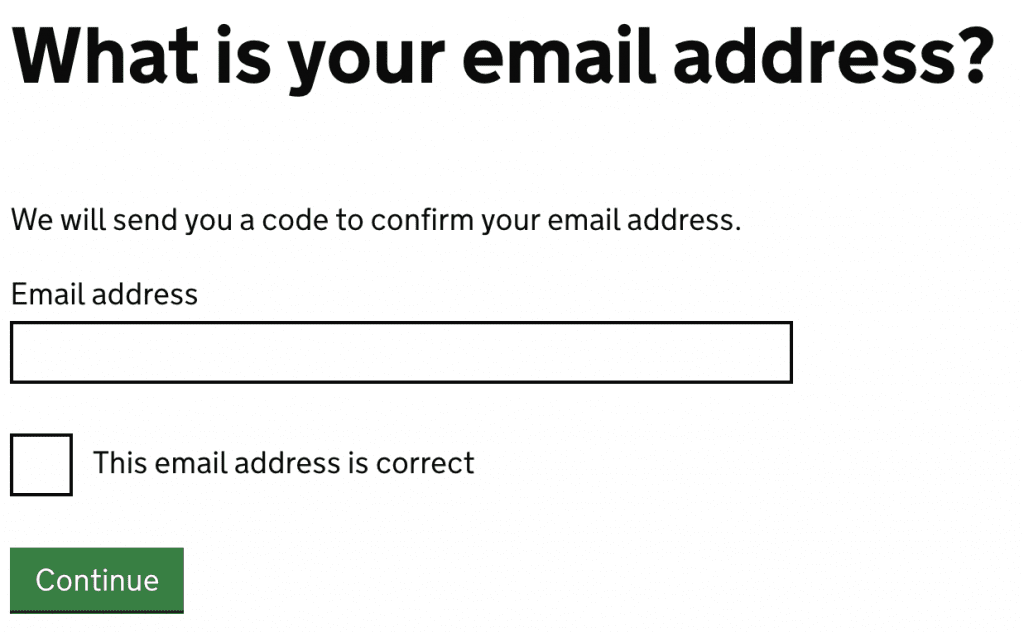
You’ll be emailed a code. Enter the code to continue with the application.


Once entered correctly, you will receive the message “Email address confirmed”.

Continue with your application by entering your full name and press continue.

Once you have set up your HMRC online account, you’ll be issued with a User ID (12 digit number) and be asked to set up a password. Keep a note of your user ID and password, they are essential for getting your UTR and filing your tax return online.https://1364dee139fc0b0dea1895866d2cd293.safeframe.googlesyndication.com/safeframe/1-0-38/html/container.html
2.3 Enrol for Self-Assessment Online
Once you have set up your government gateway account, you’ll need to let HMRC know more details about you so they can send you a UTR number.
You’ll need to provide information about yourself including:
- Personal details
- Address
- Date of birth
- National insurance number
- The date you went or are planning to go self-employed
Find a lost UTR number
You’ll automatically be sent a Unique Taxpayer Reference (UTR) when you:
- register for Self Assessment
- set up a limited company
It’s a 10-digit number. It might just be called ‘tax reference’.
Where to find your UTR
Your UTR is on previous tax returns and other documents from HMRC, for example:
- notices to file a return
- payment reminders
You can also find your UTR in your Personal Tax Account if you’re registered for Self Assessment.